Metrics & logs
See what your app is doing right now and what it did an hour, a day or a week ago — without installing anything.
The Metrics tab#
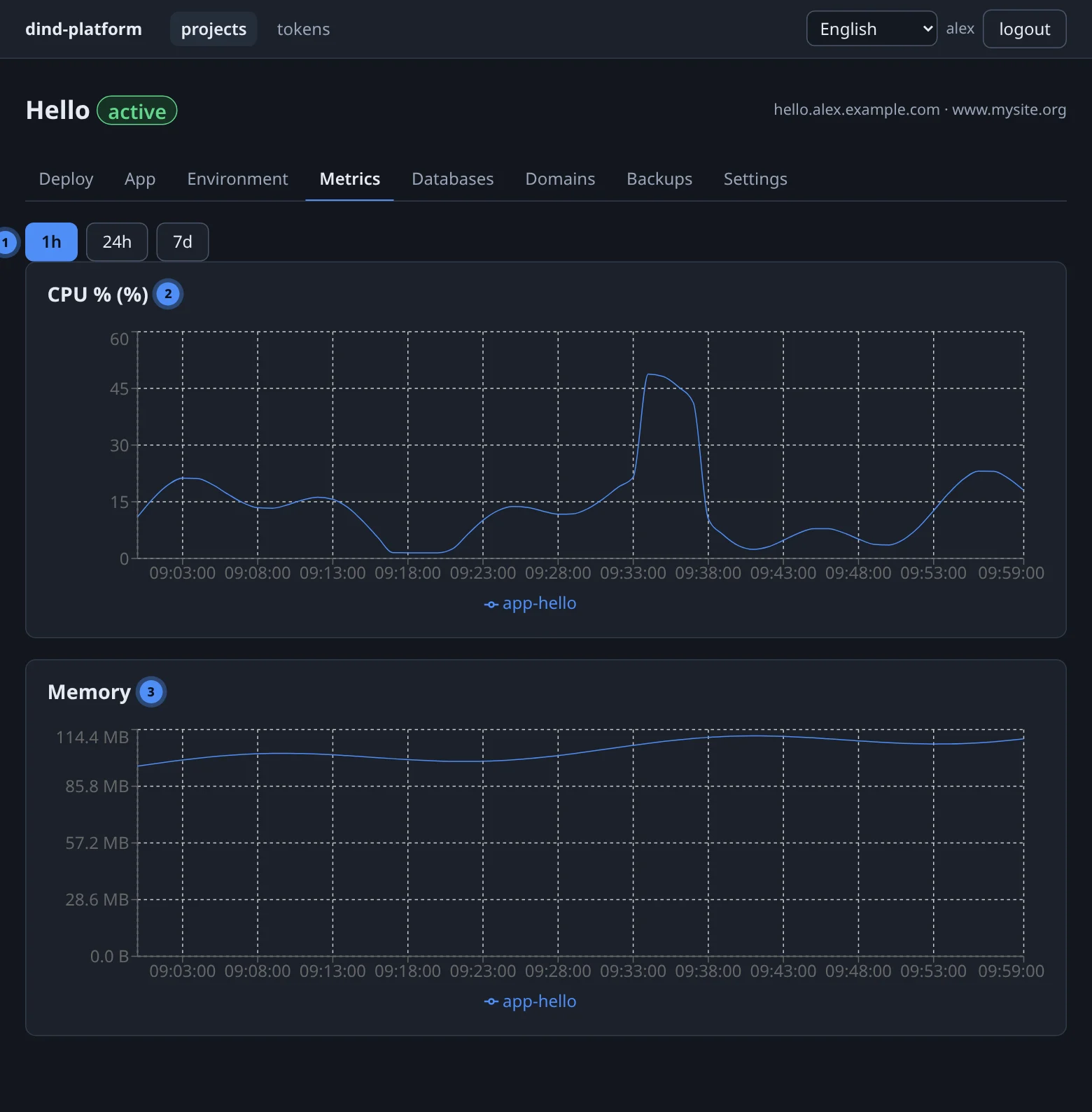
Choose 1h, 24h or 7d. Two charts are drawn from the same samples:
- CPU % — share of CPU the container used;
- Memory — resident memory in bytes.
The project scope covers the project's app container (app-<slug>); the user:<alias> scope adds every container on your app and database daemons. A brand-new container has no history yet — the tab says No samples in this range yet.
How the numbers are collected#
A sampler asks every daemon for the stats of every container every 15 seconds and stores them in the platform database. Long ranges use hourly roll-ups so charts stay light.
| Data | Kept for (default) |
|---|---|
| raw samples (15 s) | 14 days |
| hourly roll-ups | 90 days |
Administrators can change both under platform → Settings (metrics raw retention days, metrics hourly retention days).
Over REST and MCP#
curl -fsS "$BASE/api/v1/metrics?scope=project:$PID&range=24h" -H "Authorization: Bearer $TOKEN"
# MCP: get_metrics(scope="project:7", range_key="24h")
scope is project:<id>, user:<alias> (your own, or any as admin) or global (admin only). range is 1h, 24h or 7d; the resolution is chosen by the server.
Logs#
| Log | Where | Notes |
|---|---|---|
| Build log | Deploy tab → build log | live while building, stored afterwards; the first # lines say what the platform decided |
| App log | App tab → follow logs, get_logs, GET …/logs |
stdout and stderr of the app container; a tail of up to 5000 lines or a live stream |
| Database log | not shown | use the SQL console and the database's status instead |
Logs are rotated
Docker keeps every container's log as a rotated file set: by default 2 files of 25 MB — 50 MB at most. A chatty app cannot fill the disk, but only the newest lines survive; ship anything you must keep to your own logging service or S3.
Audit trail#
Every mutating action — creating a project, deploying, recreating, setting a variable, adding a domain, creating a backup, restoring, creating or revoking a token — writes an audit row with who, what and which target. Every SQL console execution also writes a query log row. Secret values are never part of either.
For operators
Both logs live in the platform database (audit_log, query_log). There is no audit page in the console yet; operators read them with SQL — see Operations.
Platform-wide view (admins)#
metrics in the top bar shows every container with samples (CPU % and memory, latest) and a per-user summary of daemons, total CPU and total memory — the quickest way to see who is using the host. See Administration.