Backups & restore
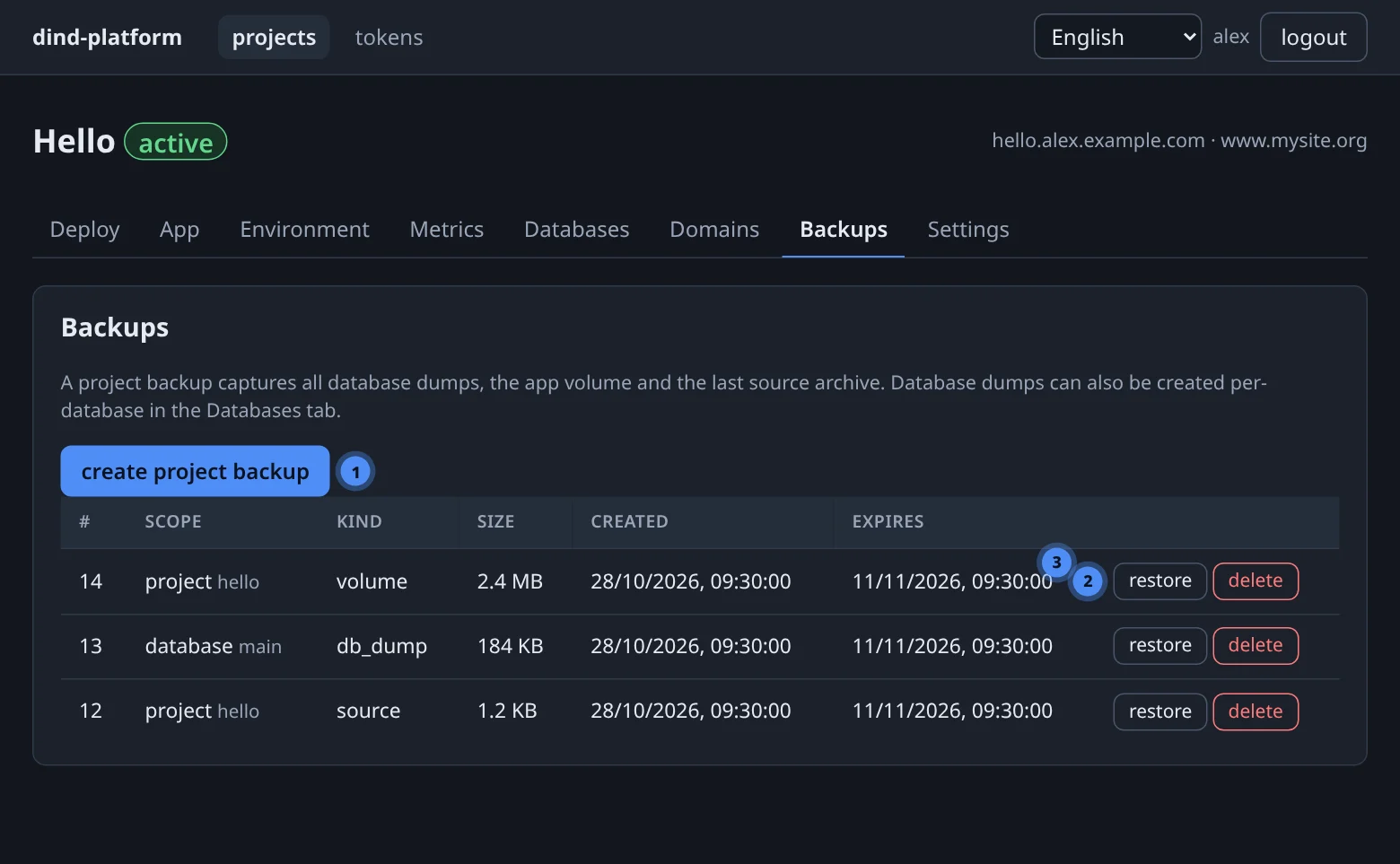
One button snapshots everything a project needs to come back: database dumps, app volumes and the last source archive. Restoring is one more button — with a guard on the dangerous kind.
What a backup is#
| Kind | Contains | Created by |
|---|---|---|
db_dump |
a logical dump of one database | create dump in the SQL console, dump_database, or part of a project backup |
volume |
a tar.gz of one named volume of the app |
a project backup |
source |
the last uploaded source archive | a project backup |
Every backup is a row (scope, kind, size, sha256, created, expires) plus an object in the platform's MinIO bucket, under backups/<scope_type>/<scope_ref>/<kind>-<timestamp>-<id>.<ext>.
Taking a backup#
On the Backups tab press create project backup. For a single database use create dump in its SQL console.
curl -fsS -X POST "$BASE/api/v1/projects/$PID/backups" -H "Authorization: Bearer $TOKEN"
curl -fsS "$BASE/api/v1/projects/$PID/backups"          -H "Authorization: Bearer $TOKEN"
create_backup(project=7)
list_backups(project=7)
dump_database(project=7, database="main")
On demand, not scheduled
There is no built-in schedule. Call the button, the API or the MCP tool from your own cron or CI if you want regular backups.
Retention#
A pruner deletes old backups — both the MinIO objects and their rows — using two limits an administrator can change in platform → Settings:
| Setting | Default |
|---|---|
| backup retention days | 14 |
| backups to keep per scope | 5 |
Restoring#
Press restore on a row and confirm.
| Kind | What restore does |
|---|---|
db_dump |
re-creates the database container from its own image and loads the dump |
volume |
stops and removes the app container, wipes the current volume and unpacks the snapshot, then recreates the app. You must tick I understand — wipe the current volume |
source |
runs the deploy pipeline again from the stored archive |
A volume restore replaces what is there
Data written to the volume since the backup is lost. If the restore succeeds but the app container cannot be recreated afterwards, the console says so explicitly instead of reporting success.
Good habits#
- Dump before you change a schema. One click, one
sha256to remember. - Download what matters. Backups live on the same platform as the data. For disaster recovery also back up the host's
data/directory — see Operations. - Delete a project last. Its backups are removed with it.
- Test a restore into a throwaway project now and then.